
We understand that the challenge in teaching your child lies in how creative and fun you make it to be. After all, it's true that your baby possesses the potential to learn just about anything, and learning is never as effective as when the process gives your child pure enjoyment.
So here are a few handy tips on how to make your reading lessons infinitely more enjoyable for you and your little one!

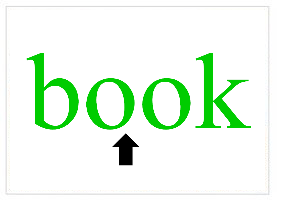
Open your Little Reader.
At the bottom (the Play Panel), click on the 'Pointer' button until the little light beside it goes green.
To do more adjustments to your pointer (color, size, etc.) click on the 'Options' button (the gear icon beside it.)
When you enable this function, your pointer will remain on the screen even when the image slide is on, so you can draw your child's attention to the main object in the image (e.g. cat). However, for images in Categories like "Colors" or "Nursery Rhymes," you may want to disable this function so that your pointer will disappear when the picture slide is on, but will reappear when the word slide comes up.
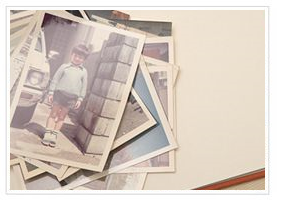
Take photos of your family members and add them into the family lesson (included with the Little Reader default Library).
We have provided the Mommy and Daddy word files, but you can also add Grandfathers, aunts, cousins and even your pet dog! You can even take a video or record them talking (or barking) to the child to add to your family Category as videos or picture audio!
Nothing engages a child's interest in learning more than seeing pictures of people in her family, and objects she recognizes from her daily life. Likewise, recording your voice and the voices of other family members is a great way to get your child's attention during lessons.
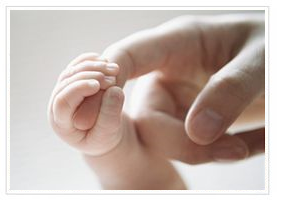
This will make your child excited to see the lessons, because he will be the main star!
If you are giving multisensory lessons, don't forget to interact with your child by touching his nose when the "nose" slide comes up!
Nothing engages a child's interest in learning more than seeing pictures of people in her family, and objects she recognizes from her daily life. Likewise, recording your voice and the voices of other family members is a great way to get your child's attention during lessons.
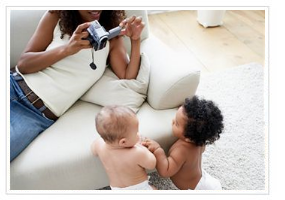
Take videos of you and your family members drinking, eating, walking, and doing day-to-day activities and add them to the "Action Words" lesson!
Encouraging your child to associate words with objects that he uses every day will aid his learning, especially when it comes to understanding how objects are used.
Nothing engages a child's interest in learning more than seeing pictures of people in her family, and objects she recognizes from her daily life. Likewise, recording your voice and the voices of other family members is a great way to get your child's attention during lessons.
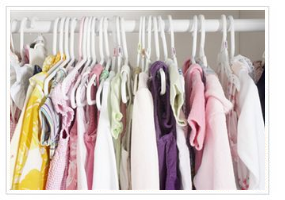
Take photos of your child's clothes and shoes and add them to a lesson of "Things to Wear"! Encouraging your child to associate words with objects that she uses every day will help aid her learning, especially with understanding the meaning and use of the object.
Nothing engages a child's interest in learning more than seeing pictures of people in her family, and objects she recognizes from her daily life. Likewise, recording your voice and the voices of other family members is a great way to get your child's attention during lessons.
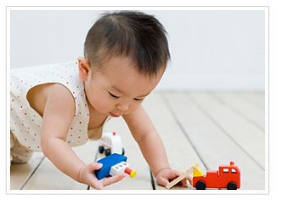
Take pictures of your child's favorite toys, foods, objects or even people and add them to your child's own "My Favorite Things" lesson.
Your child will squeal with delight when she sees her beloved toys and characters! Why should I personalize my lessons? Nothing engages a child's interest in learning more than seeing pictures of people in her family, and objects she recognizes from her daily life. Likewise, recording your voice and the voices of other family members is a great way to get your child's attention during lessons.
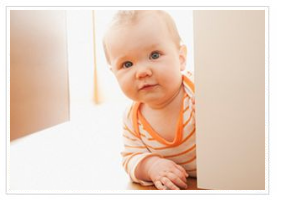
Take pictures of all the rooms or areas in your house and create word files like "bedroom," "toilet" and "kitchen!"
You can even include "play area," "garden" and "staircase," depending on the layout of your own home.
Nothing engages a child's interest in learning more than seeing pictures of people in her family, and objects she recognizes from her daily life. Likewise, recording your voice and the voices of other family members is a great way to get your child's attention during lessons.
Personalize the Food lessons to include local foods relevant to you and your family!
Include family recipes (Grandma's chocolate chip cookies) or fruit only available from your local market. Include food that your child can eat. This way, you can personalize and aid the
multisensory lesson by including tasting during the lesson.
To do this, disable the auto-forward function in the playback settings panel, so you can hold the lesson while you and your children have a fun meal!
NOTE: Be very aware of the cable type and make sure the plugs match.
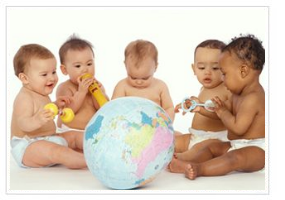
Teaching your child a foreign language has never been so easy! Little Reader supports foreign languages that use the standard Roman alphabet and other characters (provided you have installed your computer with additional language packs) so you can create and edit words and use other languages to teach your child.

J. Richard Gentry, Ph.D.
"..the best thing about Little Reader is that it builds positive parent-child social interactions and expands opportunity for the parent and the child to talk and have fun with books, concepts, and words. Everything the parent needs is right there in the kit - just pick it up and interact."
Believe in our products? Recommend them to others and earn a commission!
Learn more.

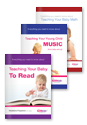
Can young children really be taught math, music or to read? and if they can, should they? Find out more with these eBooks.

We're so convinced Little Reader is so effective, that we guarantee your child will learn the basics of reading after completing the 12-month curriculum, or we'll give you your money back!