Little Reader |
DVD |
|---|---|
Different playback variation every time (font, color, pictures, etc.) |
Words display the same every time. |
Can personalize and customize lessons.* (True even for the physical flash cards.) |
Cannot personalize or customize. |
Uses both the flash method and multisensory method. |
Typically based on either just the multisensory or the flash method. |
'Living product' - can download thousands more content files, including in different languages.* Product life extends over several years for each child. |
Product stays the same forever. Short product life (less than 1 year). |
Comes with a 12-month daily curriculum - each day is a different lesson, leading from single words to full stories. |
Limited curriculum, with the same lessons played repeatedly for weeks or months. |
Your child will see over 3,000 words in over 180 categories, with over 3,000 pictures, 6,000 sound files, and 460 videos. |
Varies with the system, but typically much less. |
Pattern Phonics™ system lets the child learn phonics in a natural and intuitive way. |
Limited phonics teaching. |
Foreign language support. |
Not applicable. |
Includes special story books specially designed to teach children to read. |
No story books. |
Community support - you never have to teach alone. |
Very limited (or no) community support. |

Want to EDIT and CREATE your own lessons? Unleash FULL editing features by getting a PRO KEY for LITTLE READER!
Little Reader |
DVD |
|---|---|
Different playback variation every time (font, color, pictures, etc.). |
Word displays are the same every time. |
Can personalize and customize lessons.* (True even for the physical flash cards.) |
Cannot personalize or customize. |
Uses both the flash method and multisensory method. |
Based on the flash method. |
Shows words along with pictures, pronunciations, sound effects, and video. |
Most flashcard products just show words. |
Teaches not just word recognition, but also the meaning of words (expands vocabulary.) |
Only teaches word recognition unless pictures are also included. |
"Living product" - can download thousands more content files, mostly for free, including in different languages.* |
Product stays the same forever. |
Comes with a 12-month daily curriculum, where each day is a different lesson, leading from single words to finally full stories. |
You have to create your own curriculum and prepare all lessons yourself. |
Your child will see over 3,000 words in over 180 categories, with over 3,000 pictures, 6,000 sound files, and 460 videos. |
Varies with the system, but typically much less. |
Pattern Phonics™ system lets the child learn phonics in a natural and intuitive way. |
Teaches whole-word reading only and does not teach phonics. |
Foreign language support. |
Not applicable. |
Includes special story books specially designed to teach children to read. |
No story books. |
Community support - you never have to teach alone. |
Very limited (or no) community support. |
Want to EDIT and CREATE your own lessons? Unleash FULL editing features by getting a PRO KEY for LITTLE READER!
Little Reader is not designed to replace anything, but to complement everything else that is available. We recommend giving children as much variety in learning as possible - teach your baby with flash cards, DVDs, and most importantly, teach your child to read with 'real' books! Each has its role to play, and each is different enough to give your child a different 'twist' to learning!
 Mia and Greg
former and current 6th Grade English Teachers
"Little Reader should be in everybody's home."
Watch the video
Believe in our products? Recommend them to others and earn a commission!
Learn more.
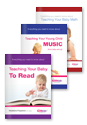
Can young children really be taught math, music or to read? and if they can, should they? Find out more with these eBooks.

We're convinced Little Reader is so effective, we guarantee that you will very satisfied with the product or we'll give you your money back!